 PRIME MOTION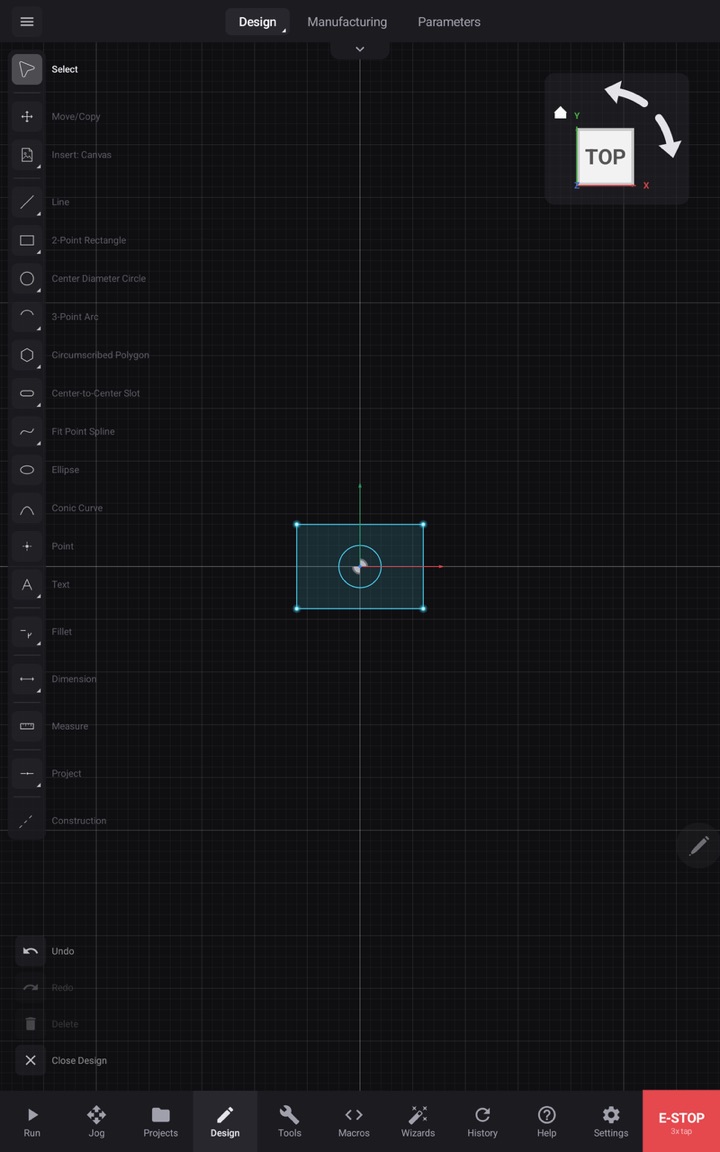
01NURBS Designer
A parametric 2D/3D designer built on a NURBS geometry kernel. Lines, arcs, splines, constraints, dimensions — pen first (S Pen, Apple Pencil), drawn at the machine or at the bench, one file either way.
Prime Motion is a professional CNC control and CAD/CAM application for the tablet at the machine and the desktop at the bench — Android and iPad, macOS and Windows. A NURBS-native designer, joinery, 14 CAM operations, a probing fleet, mesh leveling, and a G-code sender for Grbl and grblHAL machines — connected over USB, working at the spindle, on or off the network.
Export the model out of CAD.
no cutImport it into CAM. Rebuild the stock, rebuild the setups.
no cutPost the G-code. Copy it to a USB stick.
no cutCarry the stick to the controller. Load it. Hope the zero is still right.
no cutThe design you drew is the job you run.
Design, toolpath, probe and run from the same application. No exporting from CAD, no importing to CAM, no G-code on a stick — scroll, and the job runs.
Sample job. Stock 120 × 80 × 18 mm, 12.7 mm flat end mill, 45 % stepover, 3 mm per pass. The path is generated in this page from those five numbers.
Six surfaces, one application. Every screen here is the shipping product.
A parametric 2D/3D designer built on a NURBS geometry kernel. Lines, arcs, splines, constraints, dimensions — pen first (S Pen, Apple Pencil), drawn at the machine or at the bench, one file either way.
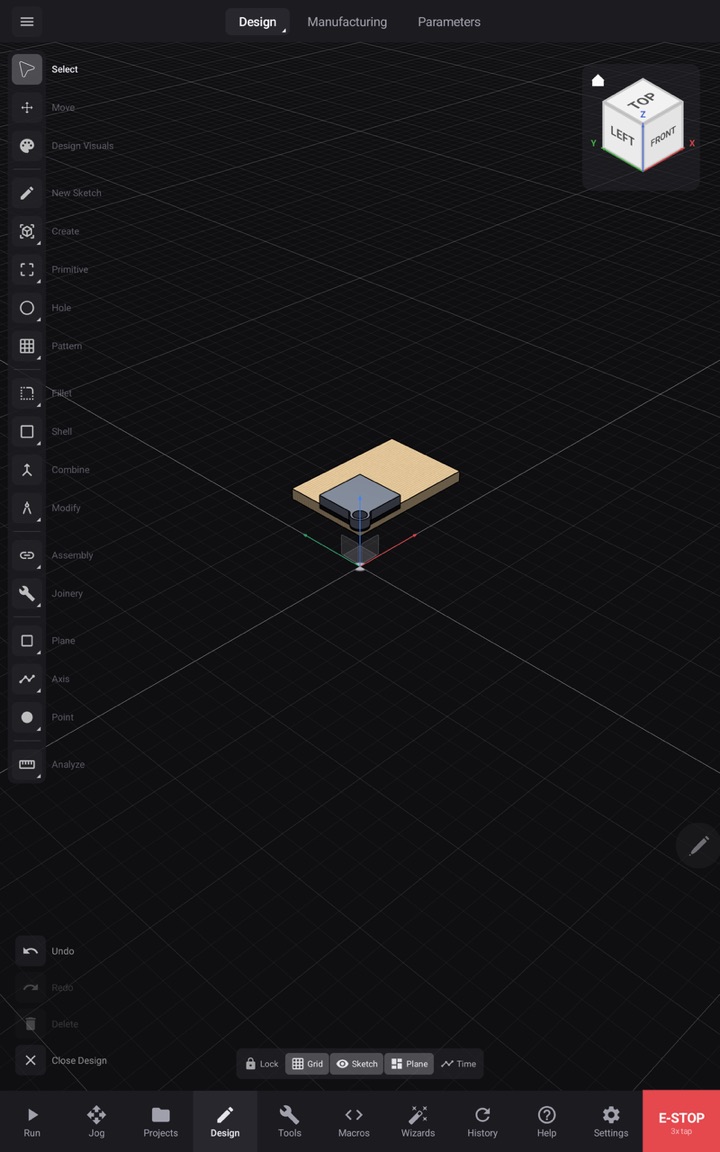
Cut-ready joinery designed in place: box joints, dovetails, mortise and tenon, and panel-lane joints that carry through to toolpaths.
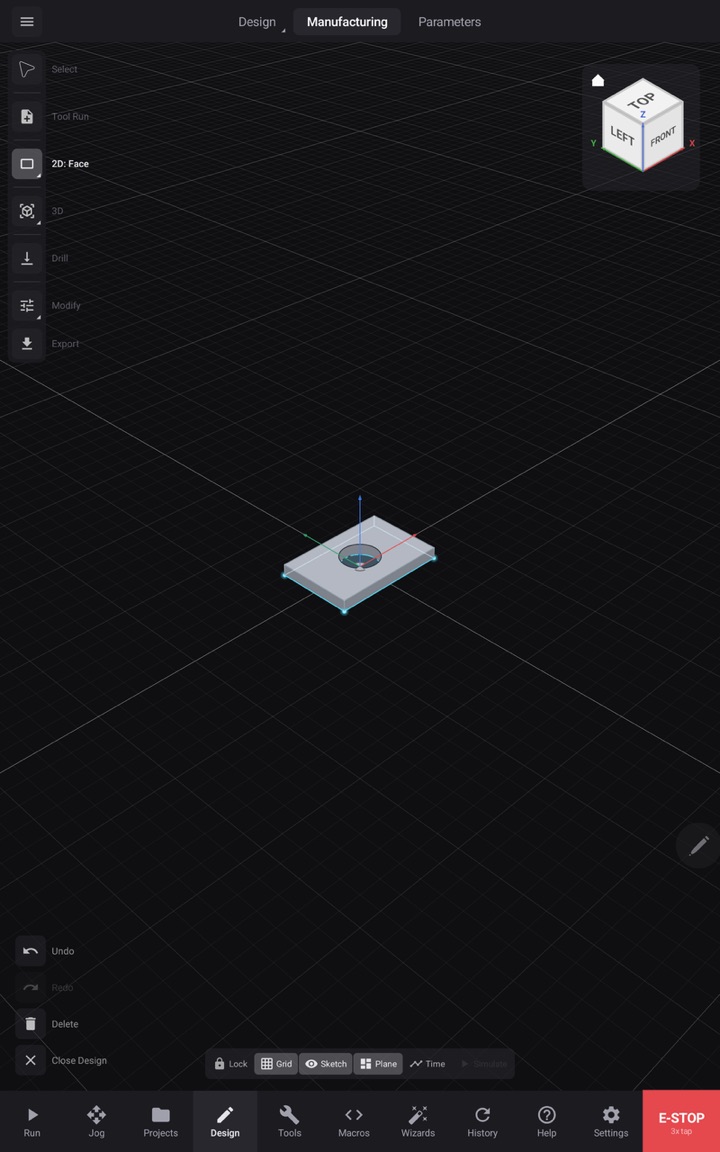
Profile, pocket, adaptive clearing, drilling, V-carve, and the rest of a 14-operation 2D/3D milling suite, with tool library, stock setup, and simulation before a single line is sent.
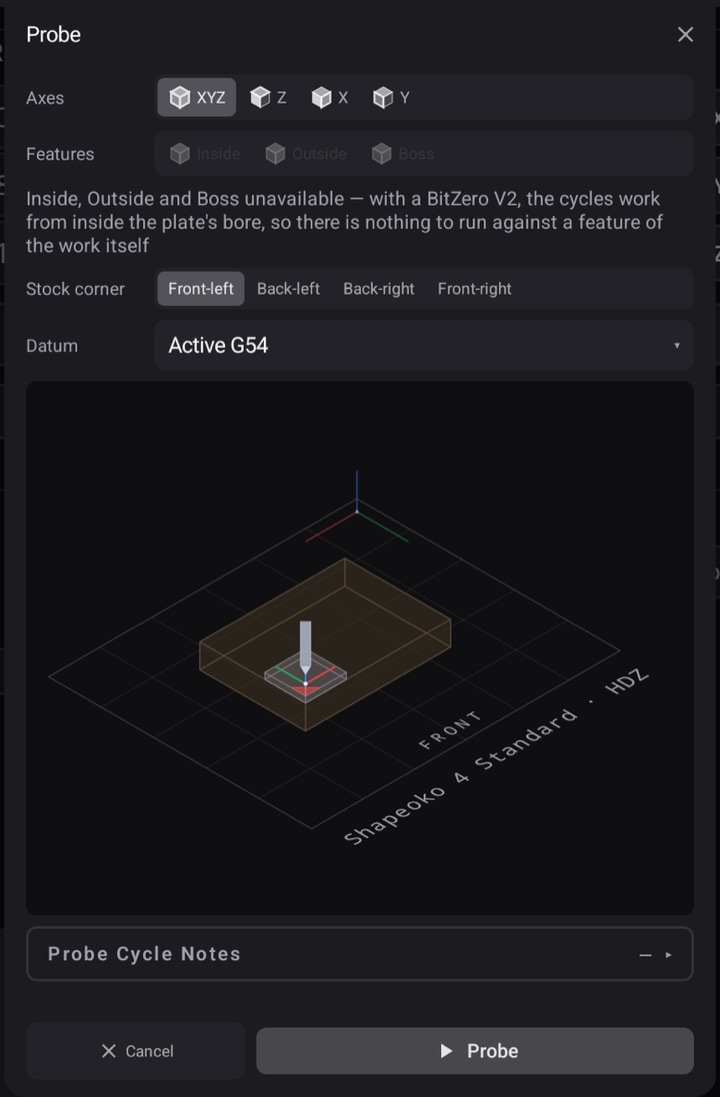
Corner probes, surface probes, and tool-setter cycles with guided, plate-prompted workflows. Work offsets set from the part, not from guesswork.
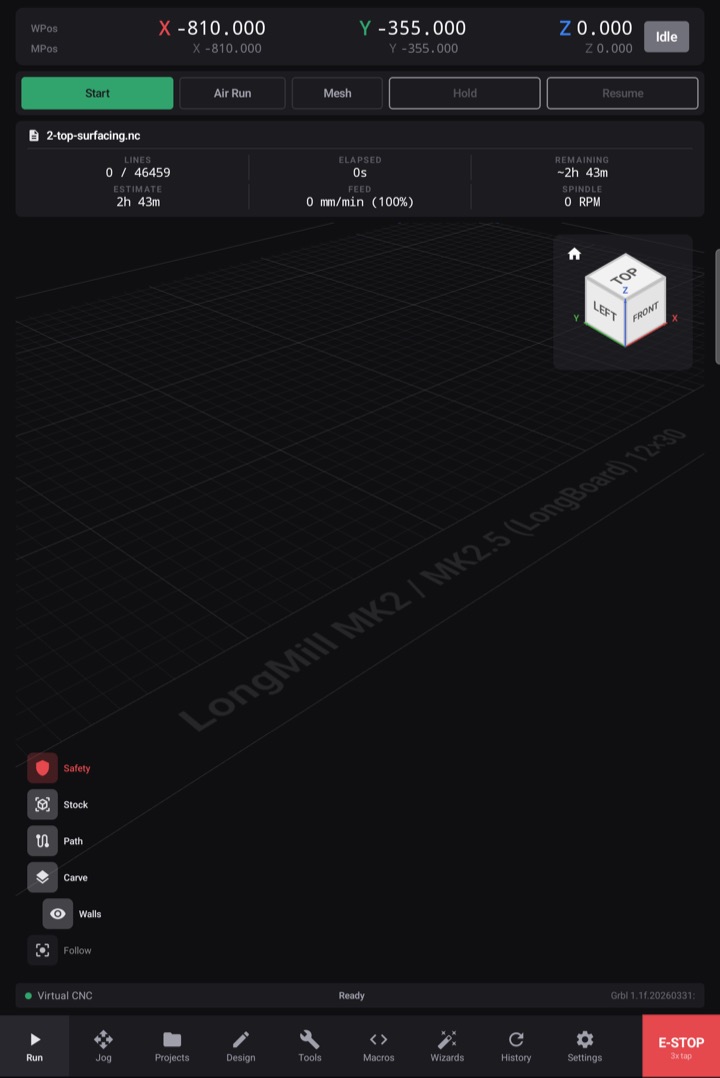
Probe a grid across the stock, and Prime Motion bends the toolpath to the measured surface — engraving and shallow work stay at depth across warped or tilted material.
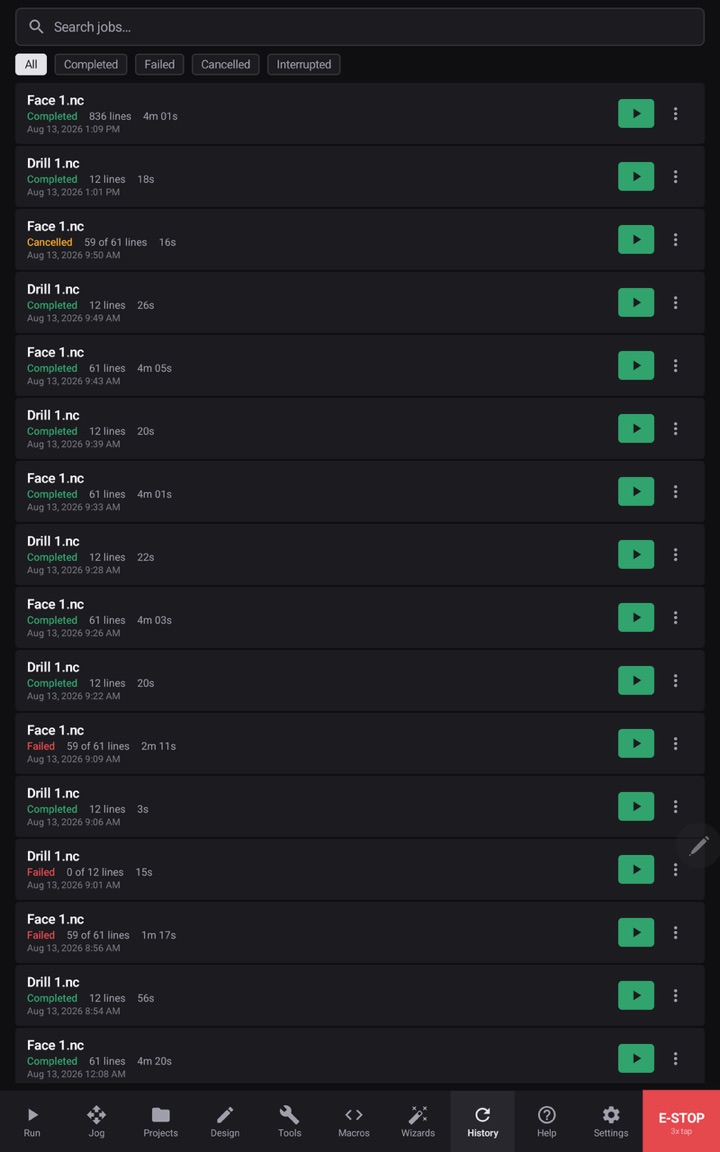
A production sender for Grbl 1.1 and grblHAL controllers over USB: jogging, macros, overrides, job history, and a live digital readout tuned for a gloved hand.
| Controllers | Grbl 1.1 · grblHAL |
|---|---|
| Connection | USB serial — USB-C on tablets, USB-A or USB-C on desktops |
| Platforms | Android tablet (shipping) · macOS · iPad · Windows (in development, in that order) |
| Pen | S Pen or Apple Pencil recommended for CAD; mouse and touch for everything |
| Machines | Hobby-to-professional gantry routers and mills running Grbl-family firmware |
| Offline | Full function at the machine; the entitlement check tolerates 10 days offline, so dead shop Wi-Fi never stops a cut |
| The UI | Dark, dense, high-contrast instrument chrome — the same Mira-Inter language this page is set in |
$249/year (about $20.75/month — save $99 against monthly) or $29/month. Every plan starts with a 30-day trial: card required, $0 today, cancel anytime before day 30 and keep the rest of the trial.