 PRIME MOTION
Constraints
A drawing is a set of lines that happen to be where you put them. A constrained sketch is a set of lines that know why they are there — and that stay right when something changes.
The difference in one sentence
Draw a rectangle by eye and stretch one side: everything moves, and nothing holds. Constrain it — sides parallel, corners joined, one dimension driving the width — and stretching it produces a larger rectangle instead of a quadrilateral.
What you can state
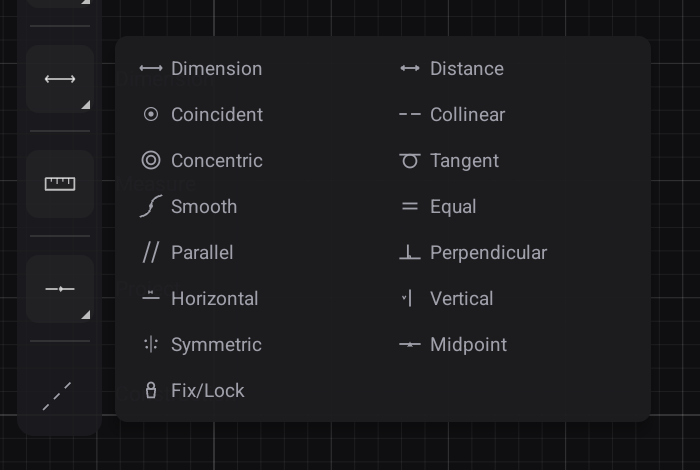
| Constraint | Says |
|---|---|
| Coincident | These points are the same point |
| Collinear | These lines lie on the same line |
| Concentric | These circles share a centre |
| Tangent | This curve meets that one smoothly |
| Smooth | They meet with matching curvature, not just direction |
| Equal | These are the same size |
| Parallel · Perpendicular | The obvious two |
| Horizontal · Vertical | Aligned to the sketch axes |
| Symmetric | These are mirrored about a line |
| Midpoint | This point sits halfway along |
| Fix / Lock | This does not move, whatever else does |
| Dimension · Distance | A measured value — and one you can drive with a parameter |
Tangent and Smooth are not the same
Tangent means two curves meet going the same direction — no visible kink.
Smooth means they also share curvature, so the rate of turn matches. The difference is invisible on a drawing and obvious on a machined surface: a tangent join catches the light in a line, a smooth one does not.
Working practice
Constrain before you dimension. Say what the shape is — this is symmetric, these are equal, this is tangent — and then put numbers on the few things that are genuinely free. A sketch constrained this way needs far fewer dimensions and behaves far better when one changes.
Watch for under-constrained sketches. Geometry that can still move is geometry that will move, usually at the least convenient moment. The design tree marks sketches that need attention.