 PRIME MOTION
3D features
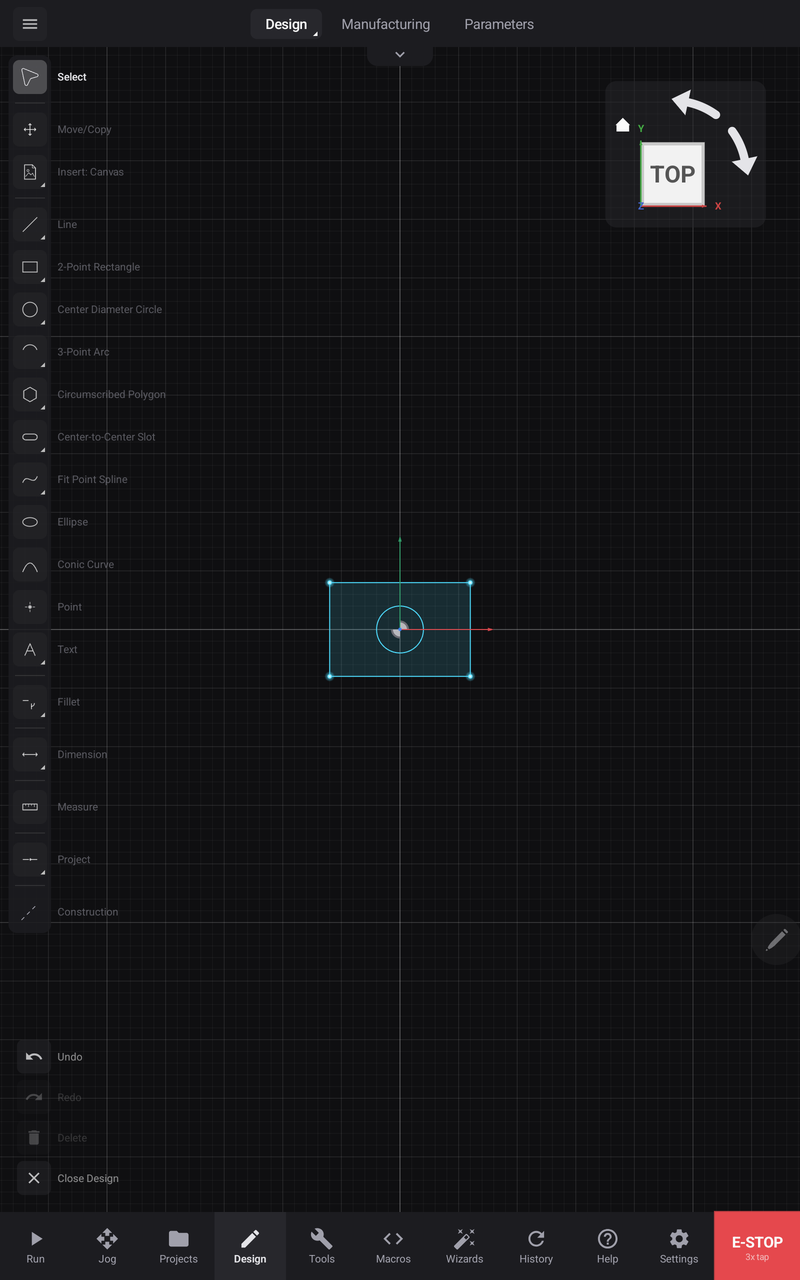
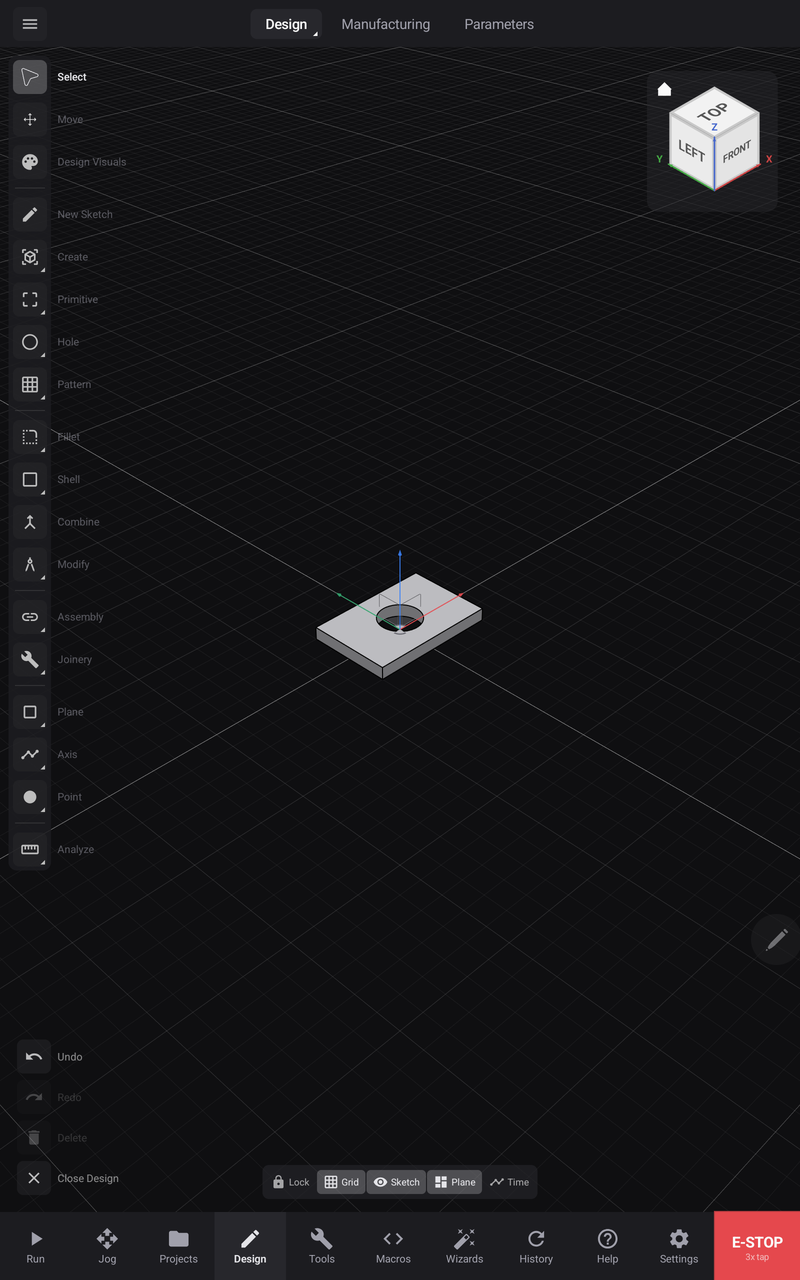
A solid starts as a closed sketch profile and a distance. This plate is a 120 × 80 rectangle with a 40 mm bore, extruded 12 mm — the bore is part of the profile, so it comes out of the solid in the same step rather than needing a second operation:
Extrude
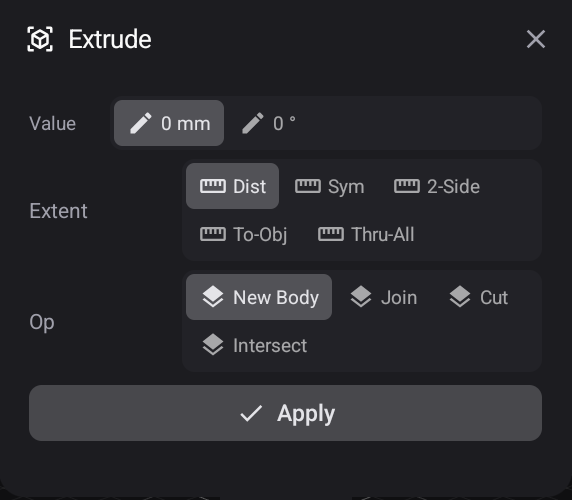
Value is the distance, with an optional taper angle beside it. Extent decides where the extrusion stops — a set Distance, Symmetrically about the sketch plane, a different distance each way with 2-Side, up To-Object, or Thru-All. Op decides what it does to what is already there: make a New Body, Join it to one, Cut it away, or keep only where the two Intersect.
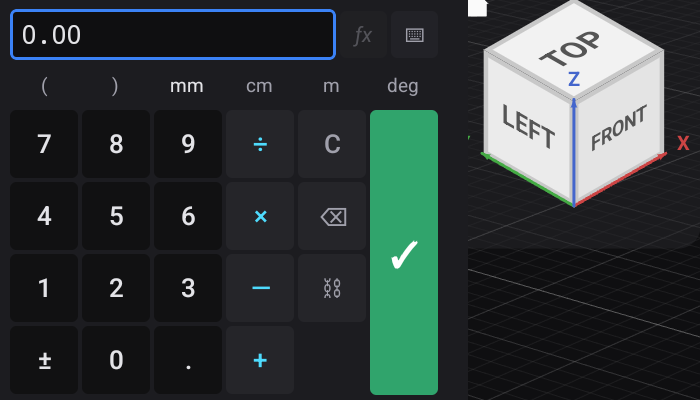
Any value field opens the keypad, which takes a number or — behind fx — an expression built from your parameters:
A sketch is a flat outline. A feature turns it into something with volume, or modifies something that already has it.
From a sketch to a solid
| Feature | Takes a profile and… |
|---|---|
| Extrude | Pushes it along a straight line |
| Revolve | Spins it around an axis |
| Sweep | Runs it along a path you drew |
| Loft | Blends between two or more profiles |
Most parts are mostly extrudes. Revolve makes anything turned. Sweep and loft are how shapes that cannot be described by either get made.
Adding to and cutting from
A feature can create a new body, add to an existing one, or cut into it. The same extrude that makes a boss makes a pocket, depending on which you choose — so a hole is often just an extrude that subtracts.
Combine does the same job between two existing bodies: union, subtract, intersect.
Refining a shape
| Feature | Does |
|---|---|
| Fillet | Rounds an edge |
| Chamfer | Breaks an edge at an angle |
| Shell | Hollows a solid to a wall thickness |
| Draft | Tapers a face |
| Hole | Makes a hole as a hole, with its own depth and type |
| Thread | Adds a thread |
Repeating
Pattern repeats a feature rather than making you build it again — in a line, around a circle, along a path, or mirrored.
Variable fillets and tangent chains
Fillet is worth a closer look because it carries two things people miss:
A start and an end radius, so a round can taper along an edge.
Tangent chain, which propagates the fillet around every edge that continues smoothly from the one you picked — so you select one edge instead of thirty.
Everything is editable
Features are steps, not results. Any of them can be reopened and changed, and the model rebuilds — see the timeline.