 PRIME MOTION
Firmware
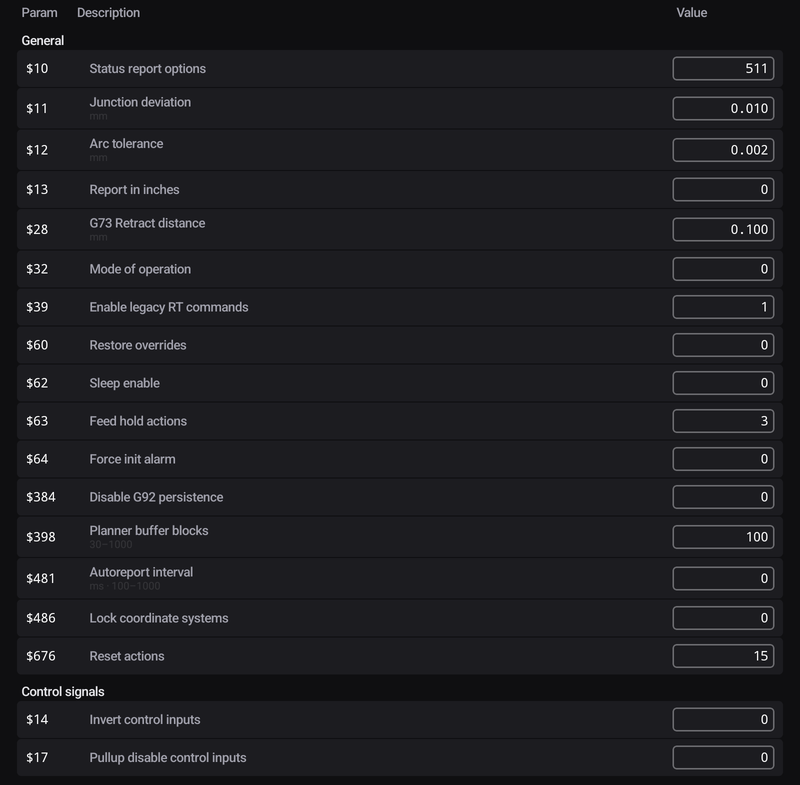
Settings → Firmware shows the controller's own settings, the numbered $ values, and lets you change them on a live connection. What these settings are is explained in Firmware settings.
Where the values came from
| Line | Meaning |
|---|---|
| Live from controller | Read from the connected controller |
| Last read from machine — connect for live values | The last values seen from this machine |
| Catalog seed for machine — never read from the controller | The model's published defaults |
The table
Param, Description and Value for each setting. On a live grblHAL controller the settings are grouped the way the controller groups them.
Changing a value
On a live connection to a Grbl 1.1 or grblHAL controller:
- Tap a value.
- Type the new value and tap SET, or ✕ to cancel.
- Prime Motion writes the setting and reads it back. The banner says
$N=value verified by read-back, or why not.
The write is refused, with the reason, when the value is below the controller's minimum or above its maximum, when a job is running (A job is running — firmware writes are locked out), with no connection, or on FluidNC (FluidNC does not take $-writes — change this in its config file). Tap ✕ on a banner to dismiss it.
When the profile and the controller disagree
Cards above the table appear when your machine profile and the controller disagree about something that matters: Homing switches, Homing corner, Firmware family or Axis count. Each card shows This machine and The controller, what the disagreement causes, and buttons to settle it on either side, for example No switches on this machine or Enable homing on the controller ($22=1). A button that writes to the controller explains itself when writing is not possible.