 PRIME MOTION
Settings — Connection
Everything about which machine you are talking to and how.
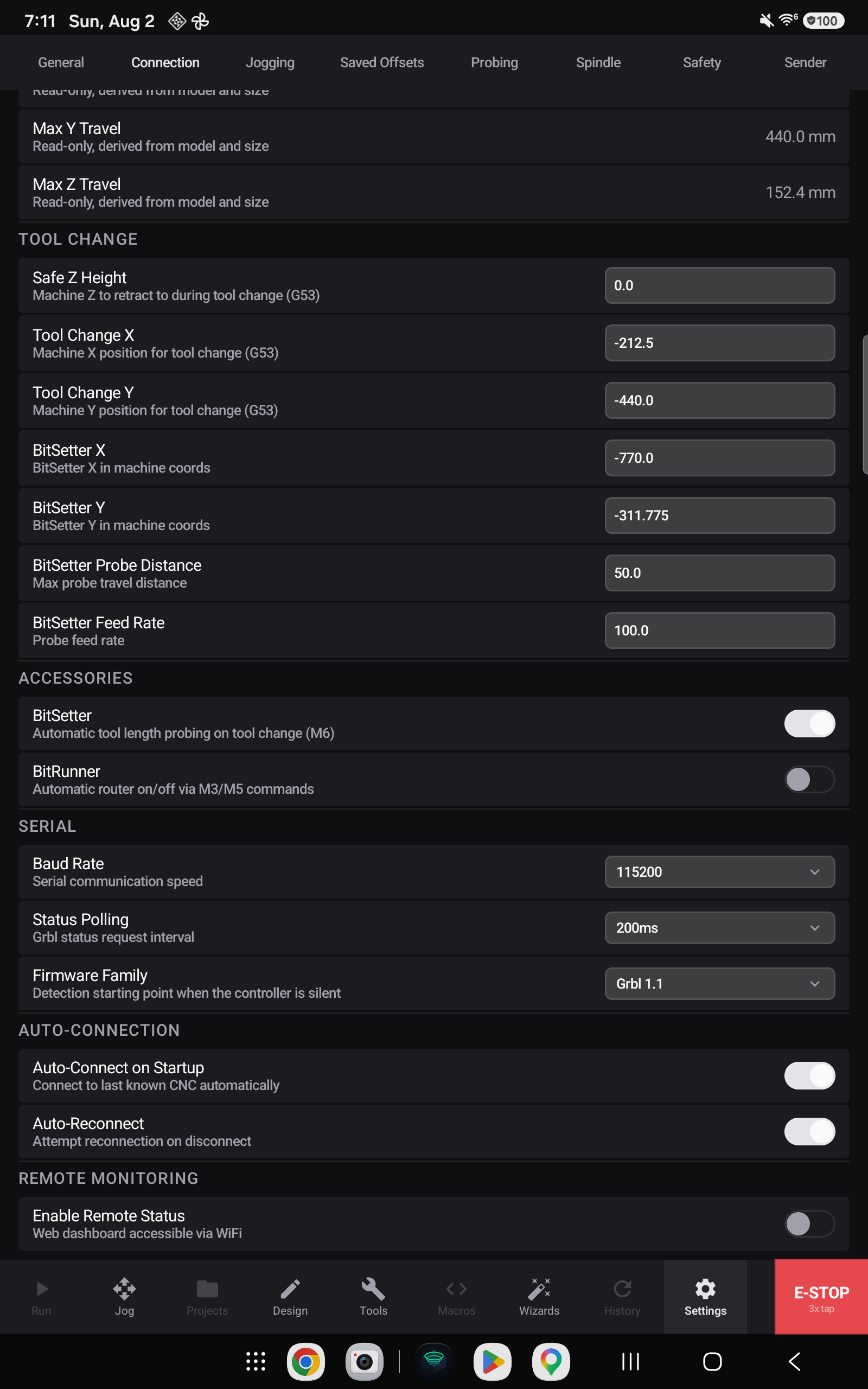
Live connection
Live connection reports what you are actually attached to, and whether it is connected. It is the first thing to check when a machine is not responding.
Machine profile

The Active Profile dropdown is the machine switcher. Every profile you have created is listed, along with New Machine… which starts the setup wizard.
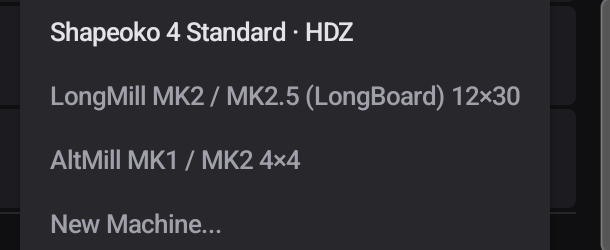
Switching profiles changes everything downstream on this screen — travel limits, tool-change position, accessories — because those belong to the machine, not to the app.
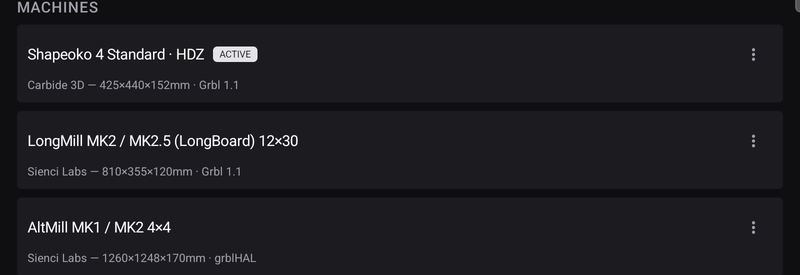
Machines lists every profile you have, with the active one marked. Travel limits below are read-only: they come from the model and variant you chose, and are reconciled against what the controller reports.
Tool change
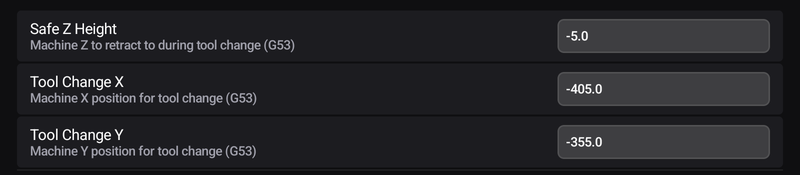
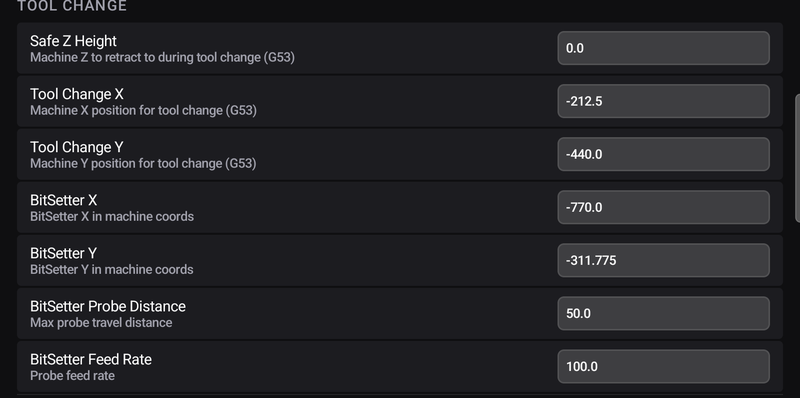
Where the machine goes when a program calls for a tool change: a safe Z height to retract to, and an X/Y position to present the spindle at, all in machine coordinates (G53).
Accessories — and what Carbide 3D machines get
This section changes depending on which machine is active, because accessories are a property of the machine.
On a Carbide 3D machine

Carbide 3D machines ship with accessories that the rest of the field does not have a direct equivalent for, so Prime Motion supports them by name:
| Accessory | What it does |
|---|---|
| BitSetter | Automatic tool-length probing on every tool change (M6) |
| BitRunner | Automatic router on/off through M3 / M5, so the controller can start and stop a router that has no software speed control |
With BitSetter enabled, four more fields appear above, under Tool Change — its X and Y position in machine coordinates, the maximum probe travel, and the probe feed rate:
On any other machine

Everything else gets a single vendor-neutral Automatic Tool Measurement toggle. It is the same capability — tool-length probing on tool change and on Z zeroing — without the brand names, and it is the entry condition for the automatic measurement workflow on any machine with a toolsetter.
Serial
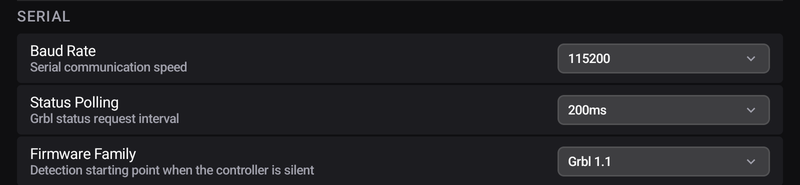
Baud Rate for the connection, Status Polling for how often the app asks the machine where it is, and Firmware Family as the detection starting point when a controller does not announce itself.
Auto-connection

Auto-Connect on Startup reconnects to the last machine when the app opens. Auto-Reconnect re-establishes a connection that drops.