 PRIME MOTION
Settings — Sender
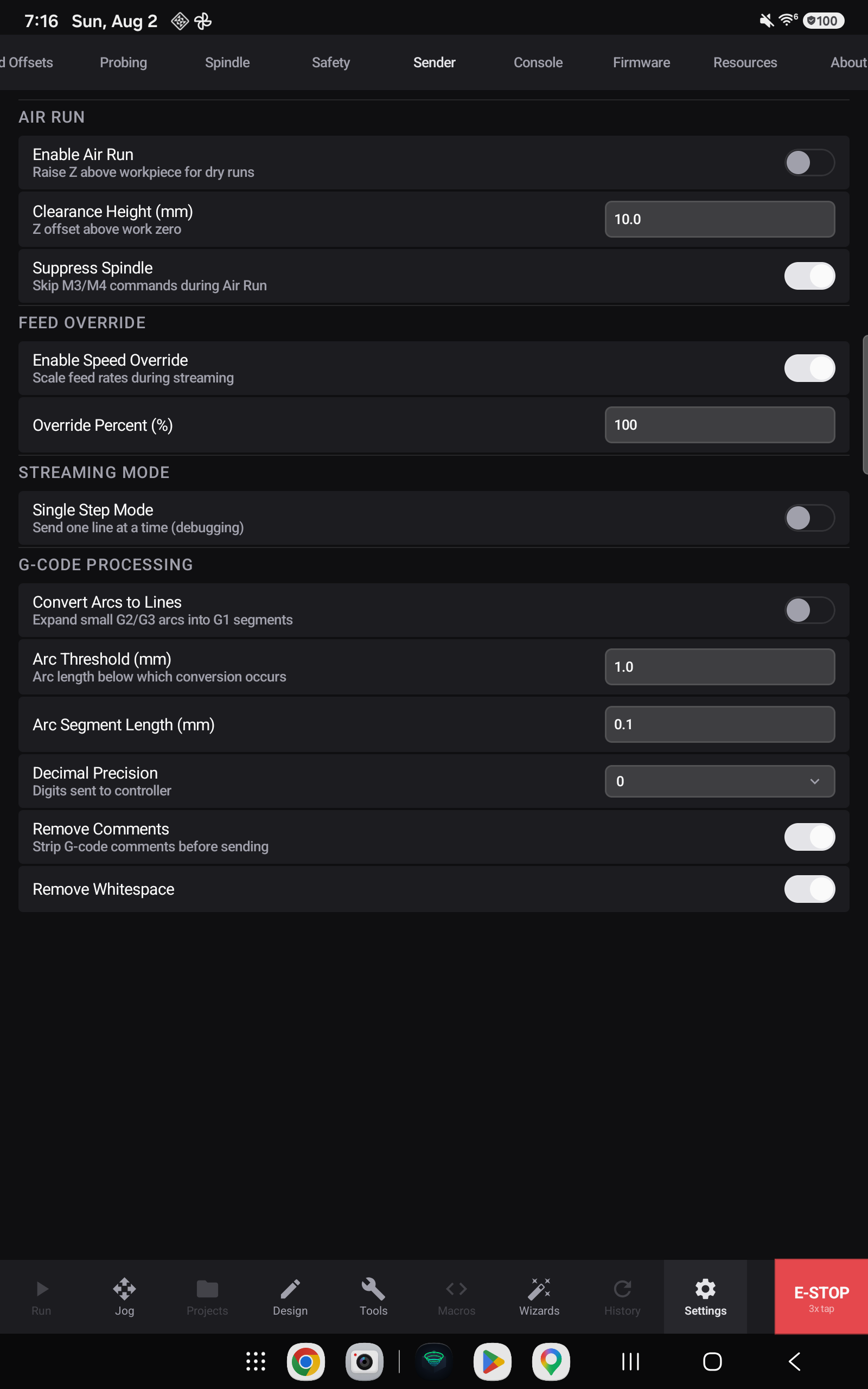
Everything about how a program is sent to the machine.
Air run
A rehearsal: the program runs with Z raised, so you can watch the moves without cutting.
Enable Air Run turns the mode on, Clearance Height is how far above the work it runs, and Suppress Spindle keeps the spindle off while it does.
Feed override
Enable Speed Override provides the Overrides control while a job runs — the drawer that trims feed, rapid and spindle live (see Feed and speed overrides) — and Override Percent is where the feed starts.
Streaming mode
Single Step sends one line at a time and waits. Slow, and invaluable when you want to watch a specific part of a program happen one move at a time.
G-code processing
Programs can be adjusted on the way out:
| Setting | What it does |
|---|---|
| Convert Arcs to Lines | Replaces arc commands with straight segments |
| Arc Threshold and Segment Length | How finely arcs are broken up when converted |
| Decimal Precision | How many decimals coordinates are sent with |
| Remove Comments | Strips comments from the stream |
| Remove Whitespace | Strips spaces from the stream |