 PRIME MOTION
Projects
A project is an ordered set of G-code files that belong together — the several operations that make one part. Programs are imported into a project (see Files and storage), and the project is what you run.
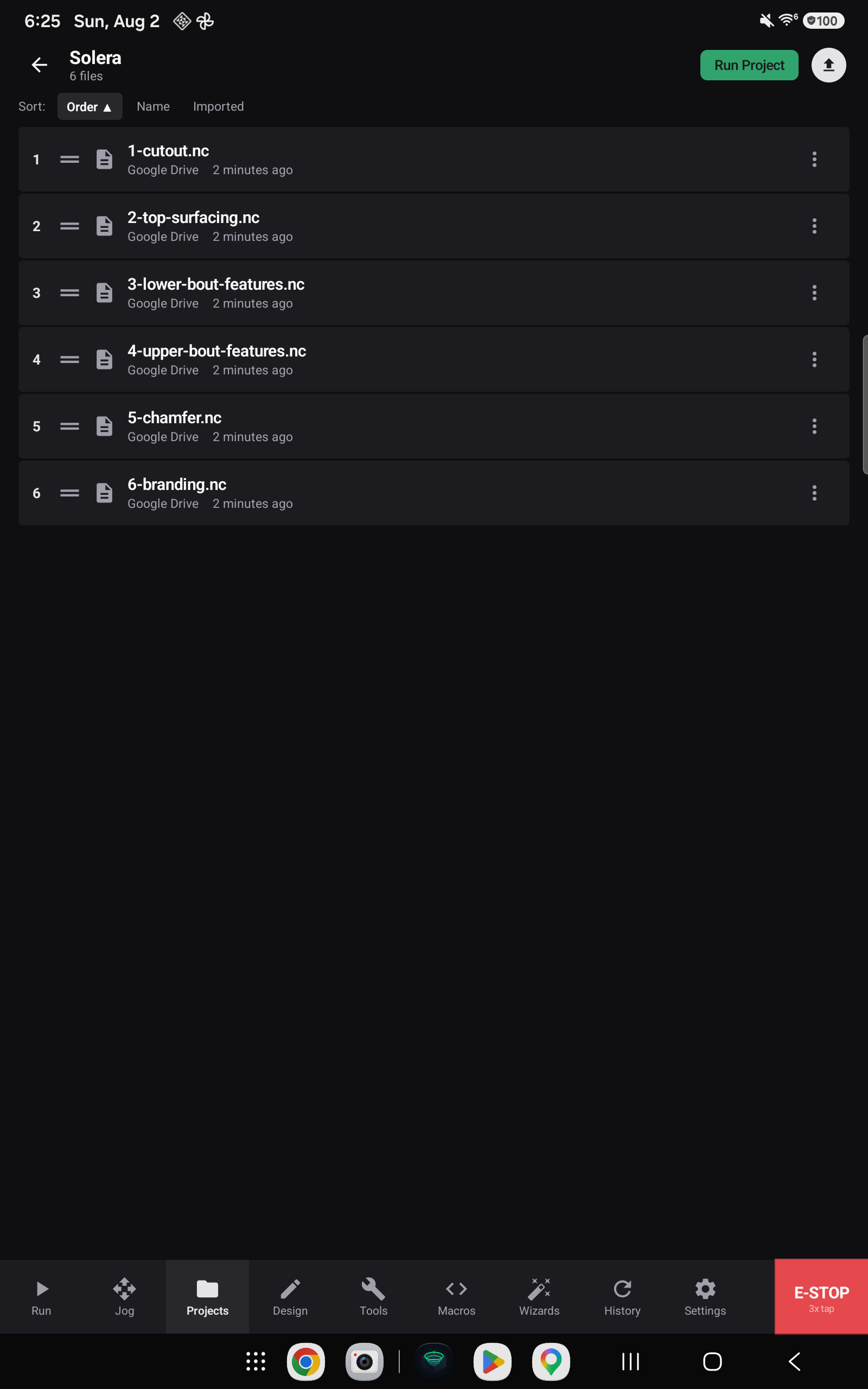
Two ways to run

Tap a single file to load just that program on the Run screen. This is the ordinary case when you are working one operation at a time, or re-cutting one step.
Run Project loads the whole project and streams every file in sequence, stopping for a tool change where one is needed. You set up once and the machine works through the part.
Run order is not display order
This is the most important thing on this page.
The Sort chips — Order, Name, Imported — change how the list is displayed. They do not change the order the project runs in.

Run order is fixed: files run by their tool run, and within a tool run by their position in the project. Sorting the view by Name to find something does not put the machine at risk of cutting the finishing pass before the roughing pass.
Setting the order

Each row carries its position in the run, a drag handle, the file name, where it came from, and when it was imported.
Drag the handle to reorder. The new order is saved immediately, and it is the order the project will run in.
- Set the Sort chip to Order — reordering is only meaningful against the real sequence.
- Drag a row by its handle to its new position.
- The numbers renumber as you go; nothing else needs saving.
Tool runs
Projects exported from Prime Motion's own CAM carry their tool run with them: the files that share one cutter are grouped, and the groups are ordered. Those files appear grouped in the list, and when you Run Project the tool changes fire at the boundaries between groups rather than between arbitrary files.
Files imported by hand — such as a folder pulled in from Drive — have no tool run attached. They appear as a flat, numbered list and run in the order you put them in. That is the case shown above: six files imported straight from a Drive folder, ordered 1 to 6.