 PRIME MOTION
Job history
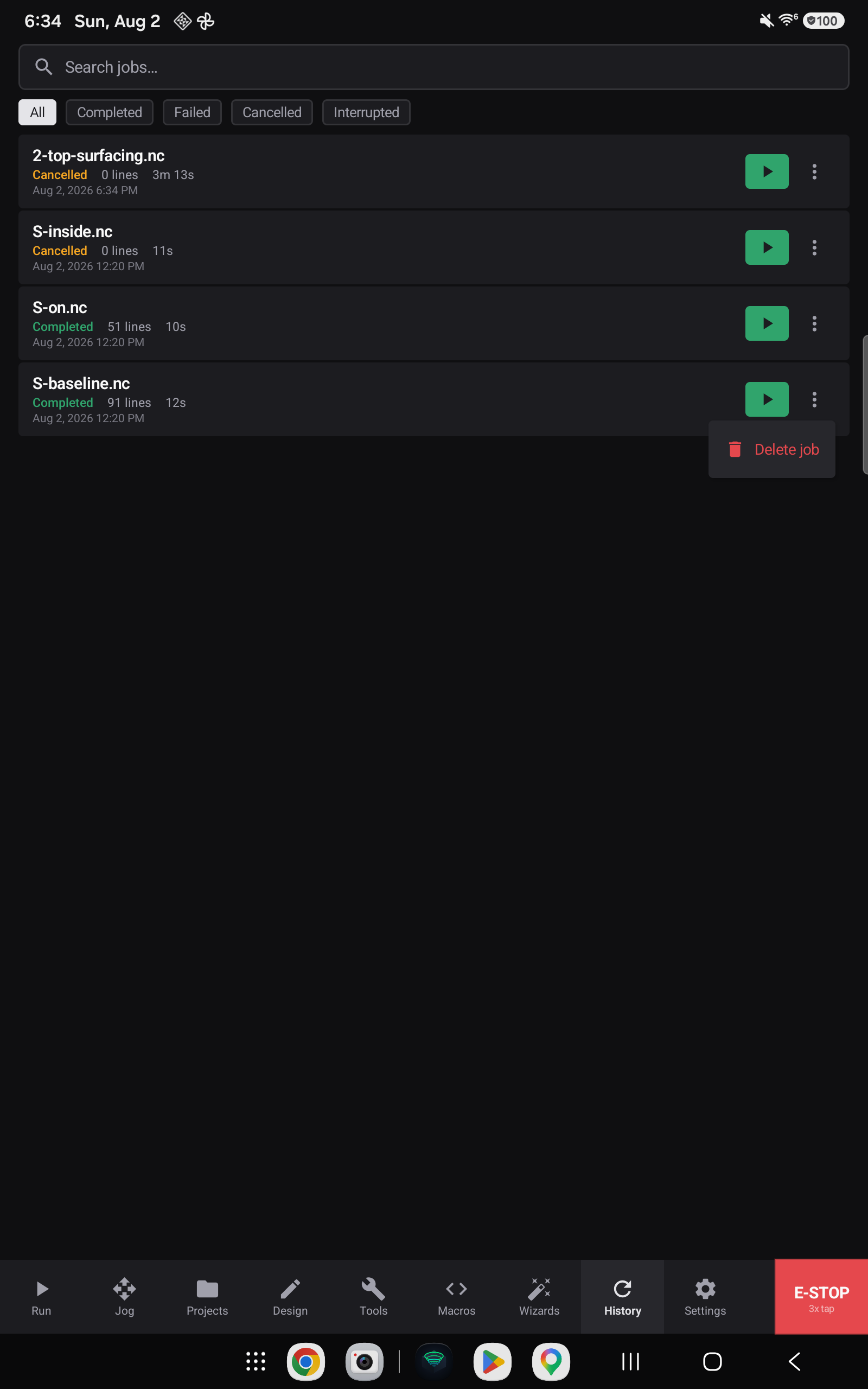
Every job lands here. Not only the ones that finished — a job that was cancelled, that failed, that hit an alarm, or that was cut short when the app closed all leave a record, each with the outcome that describes it.
Reading a row

Each row carries the program's name, how the job ended, how many lines ran, how long it took, and when it started.
A job that ran to the end shows the one number that matters — 46,459 lines. A job that stopped part-way shows how far it got against the whole — 801 of 46,459 lines — so a cancelled or alarm-ended run tells you where it stopped, which is the reason you are looking at that row at all.
| Outcome | Meaning |
|---|---|
| Completed | The program ran to the end |
| Cancelled | You stopped it |
| Failed | The controller reported an error, or an alarm ended the job |
| Interrupted | The job never reached a terminal state — the app closed, the device lost power, or the connection dropped mid-run |
Interrupted deserves a word. The record is opened when a job starts, not when it finishes, and it stays marked interrupted until an outcome closes it. That is what makes the crash case survivable: a run that ends by the app being killed still leaves a row saying so, rather than leaving no trace of the very run you most need to know about.
Finding a job

Filter by outcome with the chips — All, Completed, Failed, Cancelled, Interrupted — or search by program name.
Re-running a job
The green play button on a row loads that program and takes you to the Run screen, ready to start.
Removing jobs
Delete job on a row's menu removes that record. Deleting is the only way a row leaves history — the app never decides on your behalf that a run was not worth keeping.