 PRIME MOTION
Firmware settings
Some settings belong to Prime Motion. Others belong to the controller, and are the same whatever software is driving it.
Knowing which is which saves a lot of looking in the wrong place.
What lives in the controller
| Examples | |
|---|---|
| Motion | Steps per millimetre, maximum rate, acceleration |
| Limits | Travel per axis, whether soft and hard limits are enforced |
| Homing | Enabled, direction, speed, pull-off distance |
| Spindle | Minimum and maximum RPM, how speed is commanded |
| Probing | Probe input behaviour |
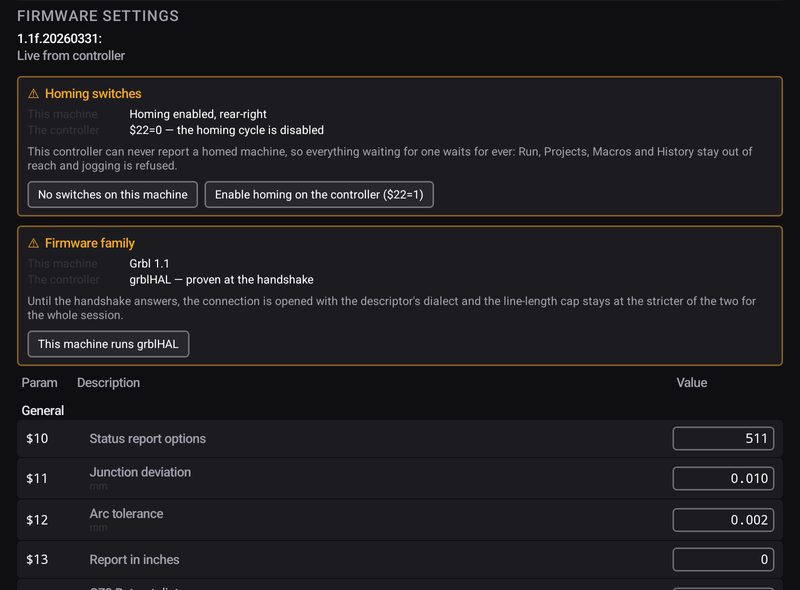
These are read and written in Settings → Firmware, live from the machine.
What lives in Prime Motion
Your machine profile, jog speeds and step sizes, stock margins, safe height, confirmations, tool-change position, accessories.
When you would change a controller setting
Steps per millimetre, if the machine moves a different distance from the one it was asked for — the classic calibration: command 100 mm, measure what you got, correct proportionally.
Maximum rate or acceleration, if the machine loses steps under hard motion or sounds violent during rapids.
Homing, when adding or moving limit switches.
Travel, after changing the physical working area — a longer bed, a taller Z.