 PRIME MOTION
Safety settings
Prime Motion asks before certain actions and warns about certain conditions. Which ones is configurable in Settings → Safety.
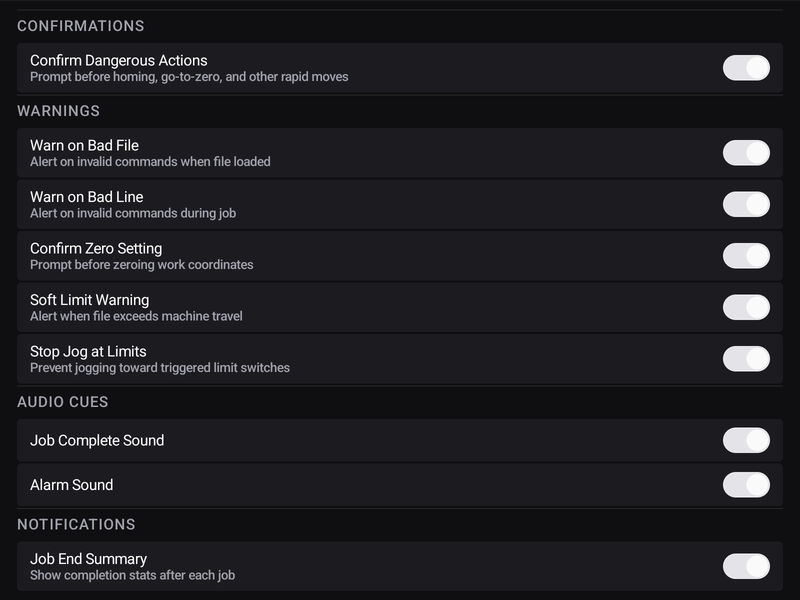
Confirmations, warnings, and the difference
A confirmation stops and asks. It is for actions that are hard to undo.
A warning tells you and lets you carry on. It is for conditions that are unusual rather than wrong — the safety scan marking a program is a warning in this sense: it reports, you decide.
What cannot be turned off
Some things are not preferences:
The homing gate. Everything that can move the machine stays locked until it has been homed. There is no setting, because every protection downstream is expressed in coordinates that do not exist before homing.
Soft limits. These are enforced by the controller, not the app.
The three-tap E-STOP. One tap would fire on an accidental brush, and an emergency stop that cries wolf is one people learn to work around.
Audio
Sounds for events worth knowing about without watching the screen. In a workshop you cannot watch the screen and the cut at the same time, and a job that ends with a sound is one you do not have to keep checking on.